Help topics
Create a model
Open Ramus. This example creates an “Order processing” project using IDEF0.
Open the wizard
- Choose File → New project.
- Enter the author and project name. Select IDEF0, DFD or DFDS. For this example select IDEF0, then Next.
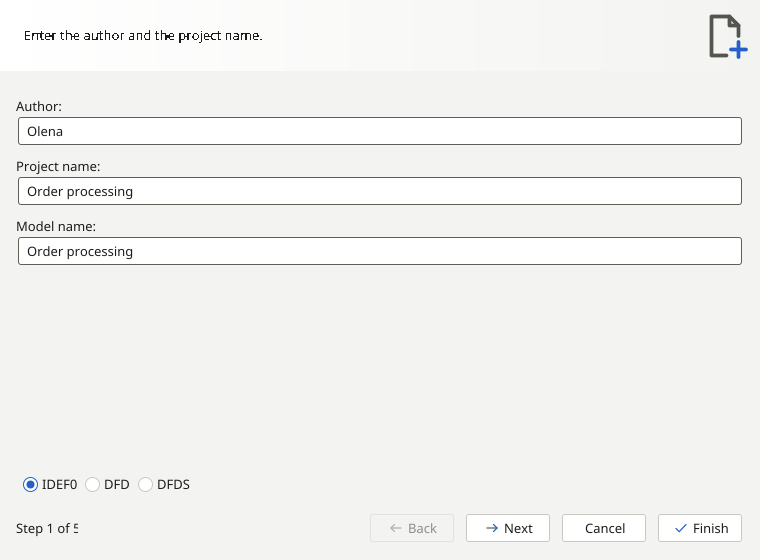
Enter project details
Complete the description and company information on the following steps. Add “Documents” and “People” catalogs, select the catalogs for responsible people and select Finish.
Cancelling the wizard leaves your previous work in place. Creating a project creates a new model; decomposing a block adds a diagram to the same model.
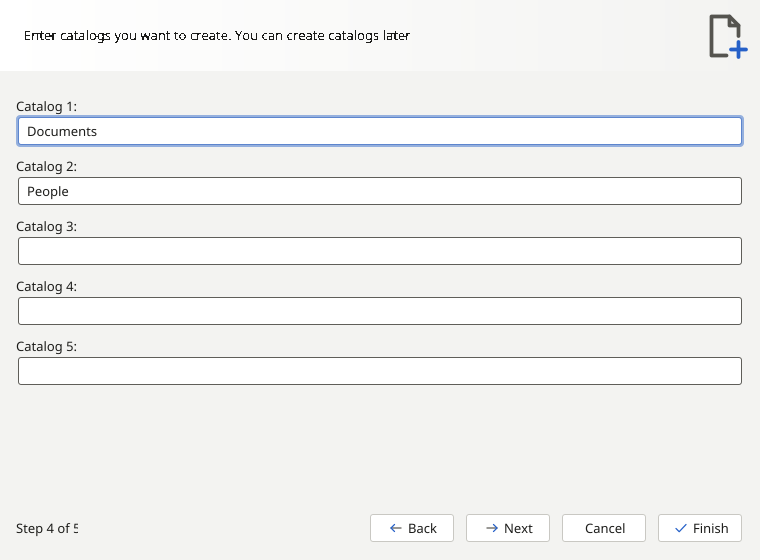
Context and model file
Ramus opens context A-0. Describe the activity with one block and add its connections using the diagram tools. The image shows a completed example.
- Choose File → Save As, then enter a name and location for the .rsf file. Use File → Save for later changes.
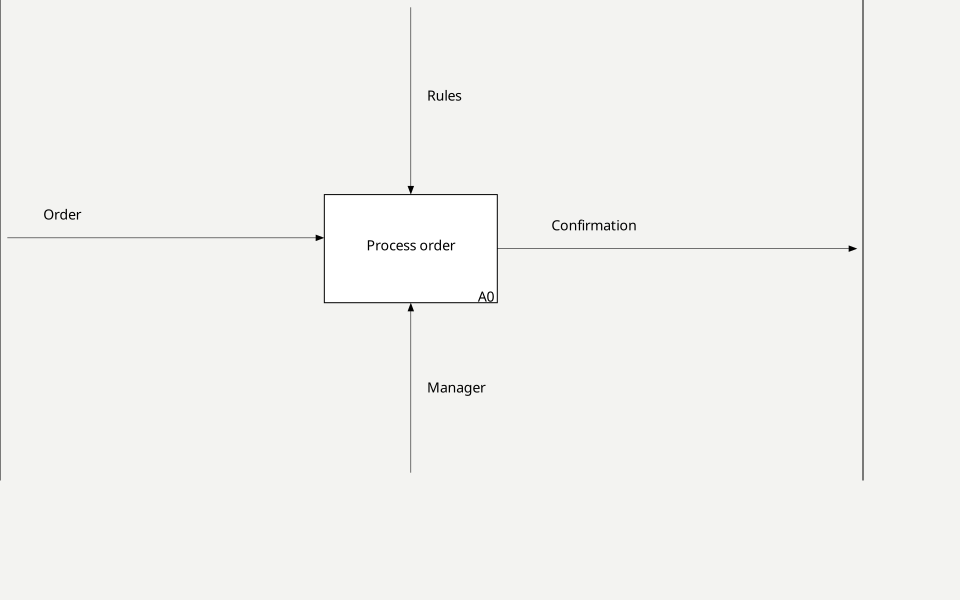
Your new project is created and saved. Next, add and configure blocks.